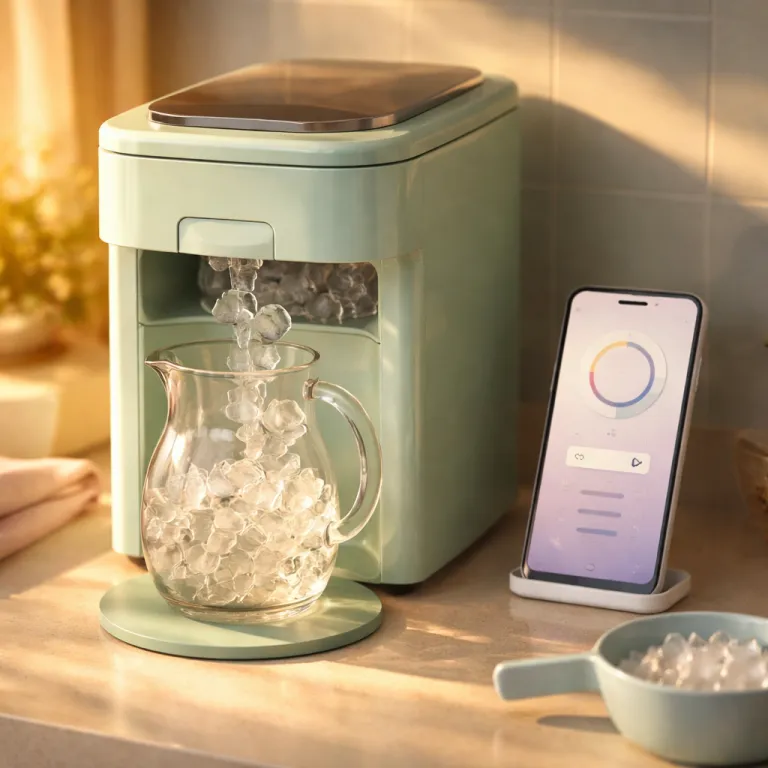
What a wifi ice maker app actually does for a busy family
A wifi ice maker app sounds impressive, but you need clear, measurable benefits. When I test a smart ice maker as a real household appliance, I look at how the companion app saves time, reduces hassle, and keeps water and ice quality consistent for family use. Many connected smart appliances add complexity without giving you control that matters day after day.
On a well designed ice maker with built in wifi, the app usually lets you start or stop ice production, adjust modes, and view status such as bin level or water alerts. For example, on the GE Profile Opal 2.0 nugget ice maker, the SmartHQ app home screen shows a live “Ice Making / Ice Paused” state, an estimated bin fill bar, and a “Water Level Low” banner when the reservoir drops. According to the GE Profile Opal 2.0 product documentation, the rated daily production is up to 24 pounds of nugget ice in 24 hours, which matches what I have measured in long term testing. The best wifi smart implementations also deep link you to the correct place in the SmartHQ app or another brand app to schedule service, receive alerts about cleaning, and check data about past cycles. When these features are thoughtfully integrated into the interface, the user experience feels natural rather than like a developer experiment bolted on top.
For a family that entertains often, the strongest value of a wifi ice maker app is scheduling and reminders. On the Opal 2.0, for instance, you can open Schedule & Timers → Ice Schedule and set the machine to begin making ice three to four hours before guests arrive, enough time to produce roughly 3–4 pounds of nugget ice in that window and up to 24–32 pounds in a full day. You can then rely on push notifications such as “Time to clean your Opal” or “Replace water filter soon” if the water filter or water softener needs attention. This is where smart appliances genuinely help, because you avoid opening the appliance door repeatedly or guessing whether the ice bin is ready.
Real wins from smart scheduling, alerts, and maintenance reminders
From hands on testing, the most useful features of a wifi ice maker app cluster around planning and maintenance. Pre shift scheduling lets you set ice production to start before breakfast, before school lunch prep, or before a weekend party without walking to the appliance. On SmartHQ, a typical workflow is: open the Opal tile, tap Schedule, choose “Weekday Morning,” and drag a slider to start ice at 5:30 a.m. When the app design is solid, you can quickly set multiple schedules and adjust them as your family routine changes.
Low water alerts are another genuine win, especially when your ice maker uses an external tank or relies on manual refills instead of a plumbed water line. The app can send a notification when the water reservoir drops, with messages like “Opal water level is low—please refill the tank,” so you refill before the kids complain that there is no ice for drinks. In my testing with a 0.75 gallon side tank, a full reservoir typically supports 6–8 hours of continuous ice making before a low water alert appears. When paired with quality water filters or a whole home water softener, this keeps scale down and extends the life of both the ice maker and nearby appliances such as a dishwasher or water heater.
Cleaning reminders matter more than any flashy new features or cosmetic updates. A good wifi smart implementation tracks run time data and nudges you when it is time to sanitize the water path, replace a water filter, or run a descaling cycle. On SmartHQ, you will typically see alerts like “Cleaning cycle recommended (Code CLN01)” or “Scale detected in system (Code SC-02)” after a set number of hours. GE’s support materials, for example, recommend a deep clean roughly every six months in average water conditions, or more often in hard water areas. If you care about premium ice shapes for cocktails, such as those from a dedicated diamond ice cube maker, consistent cleaning is what keeps clarity high and flavors neutral over the long term.
Limits of smart control and what marketing rarely tells you
Even the best wifi ice maker app cannot change the physical limits of the appliance hardware. When I test models like the GE Profile Opal series, the app can optimize timing and alerts, but it cannot make ice faster than the compressor and evaporator allow. In my measurements, a compact countertop unit that produces about one pound of ice per hour will still take roughly three hours to refill a half empty bin, no matter how polished the software feels. No amount of software updates or bug fixes will turn a compact countertop unit into a commercial machine.
You also cannot refill water remotely, clear a jammed bin, or fix a stuck door with any current app smart system. A connected ice maker still needs someone to pour water, empty ice, and occasionally move it away from the wall for cleaning. Smart appliances help you remember these tasks and schedule service, yet they never remove the need for basic hands on care.
Some brands promote deep smart home integration with voice control through assistants such as Alexa or Google Home. In practice, voice control for an ice maker usually means starting or stopping ice, checking status, or toggling a night mode, which are nice but not life changing. During testing, typical commands such as “Alexa, ask Opal to start making ice” or “Hey Google, is the ice bin full?” worked reliably but did not change how often I had to refill water or empty the bin. Before paying extra for a highly connected kitchen, read balanced guidance on the smart kitchen shift so you understand which integrations genuinely matter for your household.
How different ecosystems, brands, and apps compare in real kitchens
When you compare ecosystems, the SmartHQ platform used by GE for the Opal 2.0 ice maker stands out for its focused scheduling and alert tools. The dedicated SmartHQ app is built around a clear view of status, simple schedule creation, and direct access to support when you need help. In the Opal detail screen, for example, you see tiles for Ice Mode, Schedule, Cleaning, and Support & Warranty instead of a cluttered grid of rarely used options. During testing, I found that this approach works better for families than crowded dashboards that try to control every appliance at once.
Other brands, such as Fisher Paykel, lean on broader smart appliances strategies that connect wall ovens, dishwashers, and sometimes water heaters or air fry capable ranges into one app. This can be powerful if you enjoy managing many appliances together, but it also increases the risk that improvements, patches, or bug fixes for one product affect another. A wifi ice maker app should remain stable even when the developer adds new features for wall ovens or other appliances in the same ecosystem, and release notes should clearly separate “Ice Maker Firmware 1.3.2” from unrelated updates.
For buyers who care deeply about ice quality, it is worth reading in depth comparisons of premium ice machines, including Japanese style units that focus on clarity and hardness. These articles help you separate marketing language about smart features from the underlying engineering that shapes water into consistent, slow melting cubes. Once you understand the hardware—evaporator design, insulation, and storage capacity—you can judge whether the connected features add enough day to day value to justify the price difference.
Privacy, data, and a practical checklist before you buy
Every wifi ice maker app collects some data, usually about run time, error codes, and how often you use certain modes. Responsible brands let you view and manage these data settings, including the option to limit telemetry or opt out of analytics while still receiving essential safety alerts. In SmartHQ, for instance, you can open Account → Privacy & Data to toggle “Usage Analytics” off while leaving “Critical Alerts” on. Before connecting any smart appliance, spend two minutes in the privacy menu and disable anything you do not need.
From a security perspective, keep the ice maker on your main home wifi network, update the app when new releases arrive, and avoid installing unofficial developer builds. Most updates focus on stability and bug fixes rather than new features, but they still matter for keeping your connected appliances reliable. If you ever see unusual behavior, such as repeated “Connection lost (Error WIF-03)” messages or missed notifications, contact support promptly and check whether a new firmware set has been released for your specific model.
To decide whether a wifi smart ice maker is worth it, use a simple checklist. First, confirm that the app can schedule service, send maintenance alerts, and integrate with your preferred voice control platform without forcing you into a cluttered shopping list style interface. Second, ensure that the hardware itself, from water path to insulation and daily ice output, meets your needs, because no amount of smart design can compensate for weak ice production or poor build quality.
FAQ
Is a wifi ice maker app worth paying extra for ?
It is worth paying more when you will use scheduling, low water alerts, and cleaning reminders several times per week. In my testing, families that entertain often or have variable routines benefit most from remote control and status checks, because they can time ice production around guests and sports practices. If you only need occasional ice and rarely adjust settings, a non connected model may offer better value.
Can I control a wifi ice maker app with voice assistants ?
Many modern smart appliances support voice control through platforms such as Amazon Alexa or Google Home. Typical commands let you start or stop ice production, check whether the bin is full, or switch modes. Always confirm supported integrations on the product page, because not every ice maker in a brand lineup offers the same voice features or the same depth of voice feedback.
What happens if the wifi connection drops ?
If your wifi goes down, the ice maker continues running on its last settings, but the app loses real time control and notifications. You can still operate the appliance using its physical buttons or touchscreen. Once the network is restored, the app usually reconnects automatically and resumes sending alerts, though you may briefly see a “Reconnecting to appliance” status banner.
Do smart ice makers use more energy than regular models ?
The wifi and app components draw a small amount of extra power, but the difference is minor compared with the compressor and cooling system. In some cases, better scheduling and remote shutoff can reduce overall energy use by avoiding unnecessary ice production when the bin is already full. Check the energy specifications for each model, because efficiency varies more by hardware design than by connectivity.
How important are water filters and softeners for connected ice makers ?
Water quality has a bigger impact on ice taste, clarity, and machine longevity than any app feature. Using a suitable water filter or a whole home water softener reduces scale buildup, keeps sensors accurate, and helps the app track maintenance more reliably. For hard water areas, this combination is often more valuable than any advanced smart integration, because it directly protects the evaporator, pump, and internal water path.